Kerno Forecast, in early access
Turn your buy list into purchase orders.
Most purchase order software records an order after you have decided what to buy. Kerno Forecast makes that decision with you: what to order, from which supplier and when. Then it writes the purchase orders for you to check and send.
Get early accessUpcoming reorders
Every line says why.Yellow is the date to order by.
One click: 3 purchase orders.One per supplier, totals added up. Nothing is sent until you check.
Ningbo Steelware
 Insulated bottle, 750 ml840 units
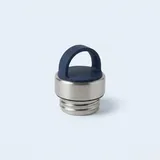 Spare bottle lid350 units
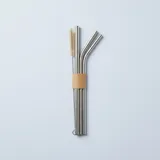 Steel straw pack500 units
Jingdezhen Ceramics
 Cold brew jar420 units
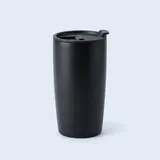 Travel mug, black200 units
Leeds Print & Pack
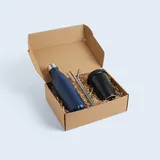 Gift box set650 units
3 draft purchase orders
- Ningbo Steelware3 lines, arrives about 12 Jan$6,291Draft
- Jingdezhen Ceramics2 lines, arrives about 18 Jan$3,130Draft
- Leeds Print & Pack1 line, arrives about 9 Dec$7,150Draft
Review each draft, then send it to the supplier. Nothing is ordered until you do.

Approve the list. The purchase orders are done.
Kerno works out what to buy
Every SKU, from your real sales speed, stock on hand, stock already on order and lead times. Each quantity shows its reasons.
Approve the buy list
One click turns it into draft purchase orders, one per supplier, with quantities and unit costs filled in.
Review, edit and send
Change any line, then send each PO yourself. Nothing is ordered until you do.
Receive against the PO
When stock arrives, how long the order really took becomes that supplier’s lead time for the next forecast.
Or start from the supplier’s document
Upload a supplier’s quote, pro forma invoice or an old purchase order as a PDF or a photo. Kerno AI reads the lines, matches them to your own SKUs and suppliers, and gives you a draft purchase order to check. Fix anything it flags instead of typing it all in.
Item 1: Vacuum flask 750ml, matte black. 840 pcs at USD 6.40/pc.
Item 2: Replacement lid for above, 350 pcs at USD 0.90.
Delivery 35 days after deposit. Terms 30% T/T deposit, balance before shipment.
- Insulated bottle, 750 mlMatched to your SKU840 × $6.40
- Spare bottle lidMatched to your SKU350 × $0.90
Supplier, currency and delivery date filled in. You review, edit and send.
Example data. Supported files: PDF, JPEG, PNG and WebP, up to 10 MB.
Compared with a spreadsheet or a PO app
A spreadsheet can hold a PO, but someone still has to work out every quantity by hand. A purchase order app keeps your POs tidy and tracks what is on order, but the quantities are still your guess. Kerno Forecast starts one step earlier, from the forecast, so the quantities come with their reasons before the PO is written.
Free purchasing tools
- Purchase order template: fill it in online, save it as a PDF, or download it for Excel.
- Lead time calculator: your real supplier lead time, from your last orders.
- Reorder point calculator: when to place the next PO.
- Purchase order vs invoice: what each is for, and how matching them stops you overpaying.
Stop typing purchase orders.
Kerno Forecast is in early access for Shopify and Amazon brands.
Get early access